A Whalebuy order, mapped from account to doorstep
Nine stops, each with the screen Whalebuy published for it, what that screen wants from you, and the trap people fall into there.
Checked October 22, 2026One order, nine stops, two payments
This is the long version of the route on the homepage: one Whalebuy order from an empty account to a parcel at your door, in nine stops. Each stop shows the screen Whalebuy itself published for that step where one exists, says what the screen is asking you to decide, and links to the reference page that goes deeper. Where Whalebuy published no screen, at stops 7 to 9, we drew one and labelled it as an illustration. Times and fees come from Whalebuy's help centre as it read on October 21 and 22, 2026.
If you only remember one thing: there are two payments. The first buys the item and gets it to the warehouse in China. The second, days or weeks later, pays for the parcel abroad. Nothing ships until you build that parcel yourself.
1Open a Whalebuy account
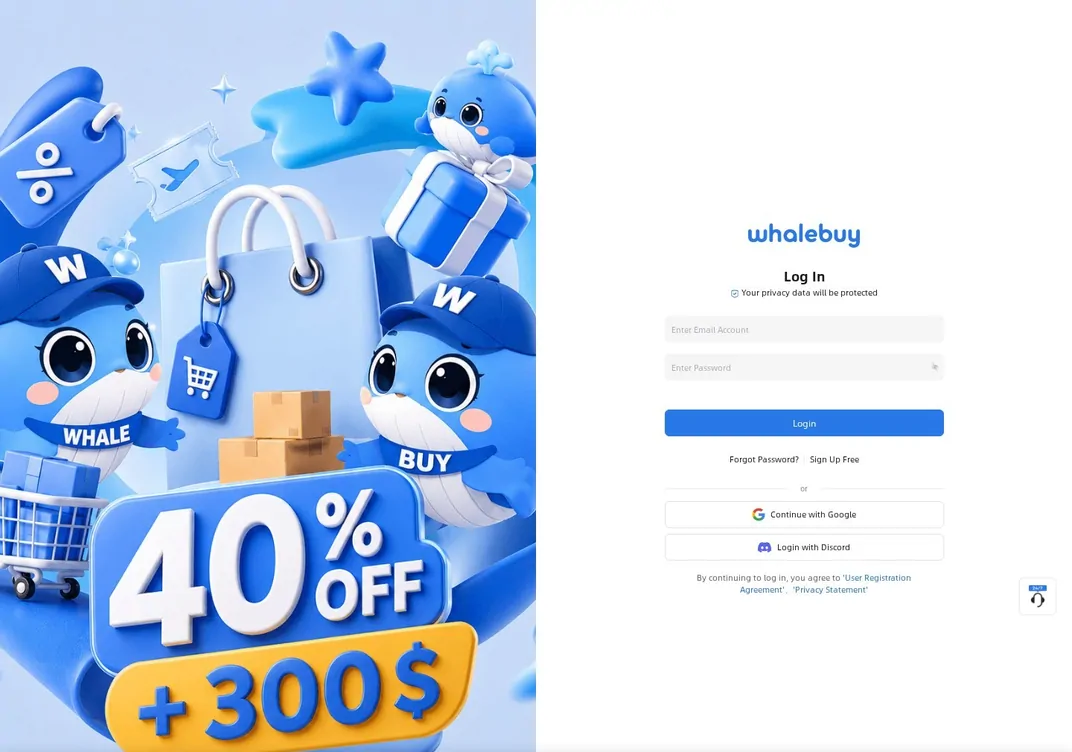
Registration lives at whalebuy.com/register. The sign-in screen offers an email and password, "Continue with Google" and "Login with Discord", and continuing means accepting Whalebuy's User Registration Agreement and Privacy Statement. Use an email you check, because storage reminders and parcel-rehearsal results arrive by email as well as in the account.
Your account also carries a membership level. Growth value comes from freight you actually pay on parcels you mark as received, and higher levels get a shipping discount at checkout plus priority in the support queue for the top two tiers. None of it matters for a first order, but it explains the "VIP" labels you will see.
2Claim the new-user coupons
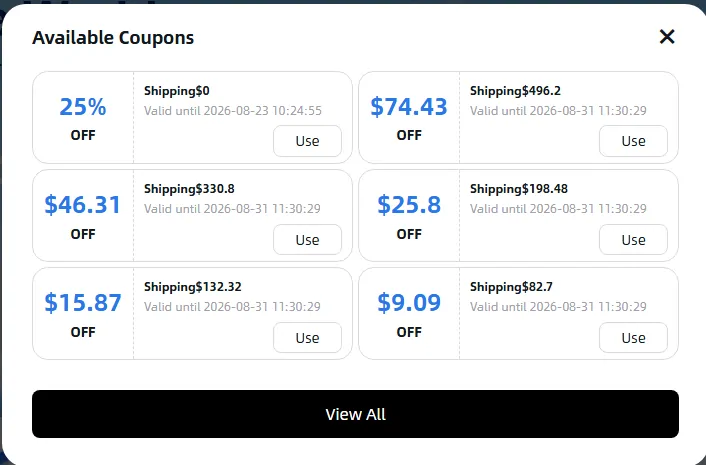
Whalebuy's tutorial makes coupon collection step two, straight after registration. The first-order guide describes a pack of 21 coupons with shipping discounts of up to 40%; the public coupon list we read on October 21 held 22 entries, including a "Limited-Time First Parcel Shipping Coupon", a "New Customer No-Minimum Shipping Coupon" and tiered "High-Value", "Medium-Value" and "Lightweight Parcel" coupons that knock a fixed amount off freight above a minimum.
Two points save frustration later. The pack is built around freight: nearly every entry is named as a shipping coupon, so expect little or nothing off the item price at stop 5. And each has a minimum, a route list and an end date (the ones we saw end on December 30 or 31, 2026), so check them in the account before you pick a line at stop 8 rather than after.
3Find the item: paste a link or search
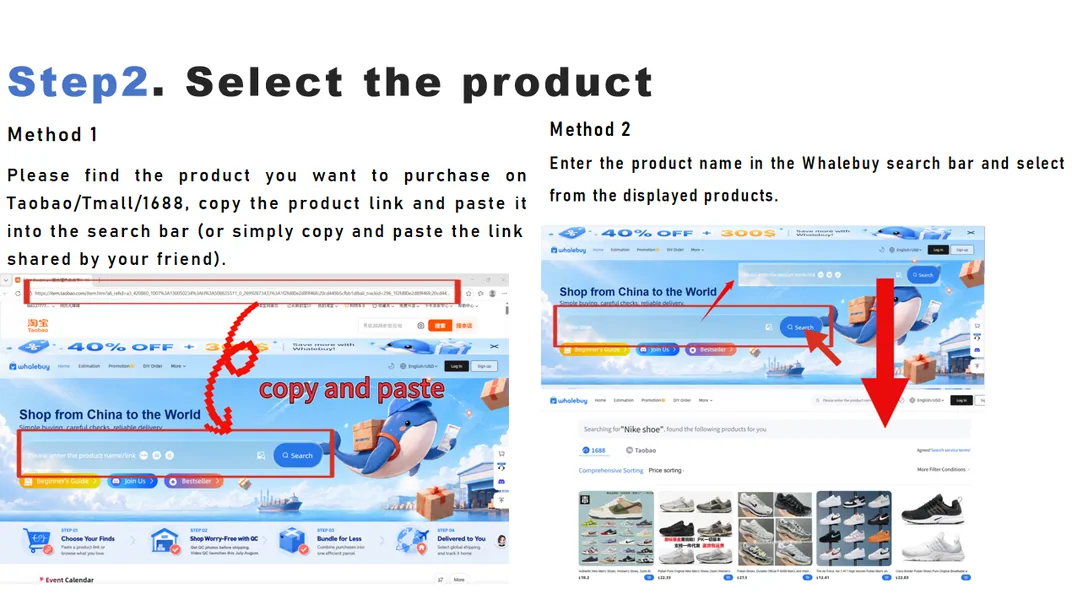
There are two ways in. Method one is to copy a product address from Taobao, Tmall or 1688 (Weidian works too) and paste it into the search bar on whalebuy.com; the product page opens with the listing already read. Method two is to type a product name into the same bar and choose from results, which come under a 1688 and a Taobao heading. A camera icon in the bar runs a search by photo, which Whalebuy added for the "I only have a picture" case.
This catalog is a third way to get a link: open an aisle, find a card, copy its store address. Our link reader on the tools page strips a long store address down to the item number if the paste fails.
4Pick the exact option
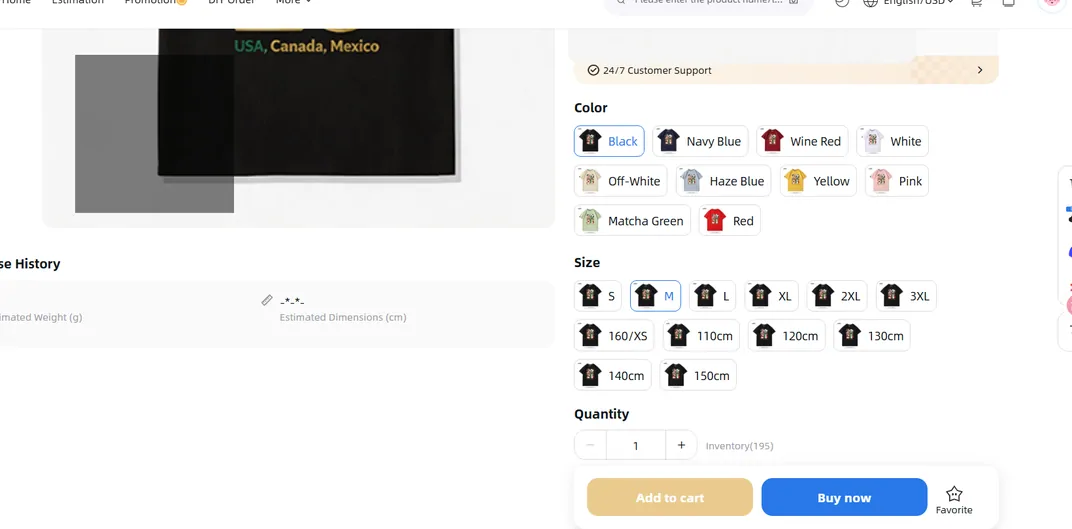
The product page is where most avoidable mistakes happen. Whalebuy reads the listing into its own layout: price in yuan with a dollar conversion, an estimated warehouse arrival date, the seller's domestic freight, a "90 Days Free Storage" badge, then the color, size and quantity pickers with the store's inventory count. Whalebuy says it captures "99% of product information" on Taobao, Tmall and 1688, which is a claim about reading the page, not about the store being right.
Choose the option by its name and picture together. Many stores number colors or list child sizes (110cm, 120cm) in the same menu as adult ones, as in the screenshot below. Use the "Leave a message" box for anything the menu cannot express, such as "same color as main photo 3", and read the listing's size chart before you trust a letter size.
5Settle up for the item
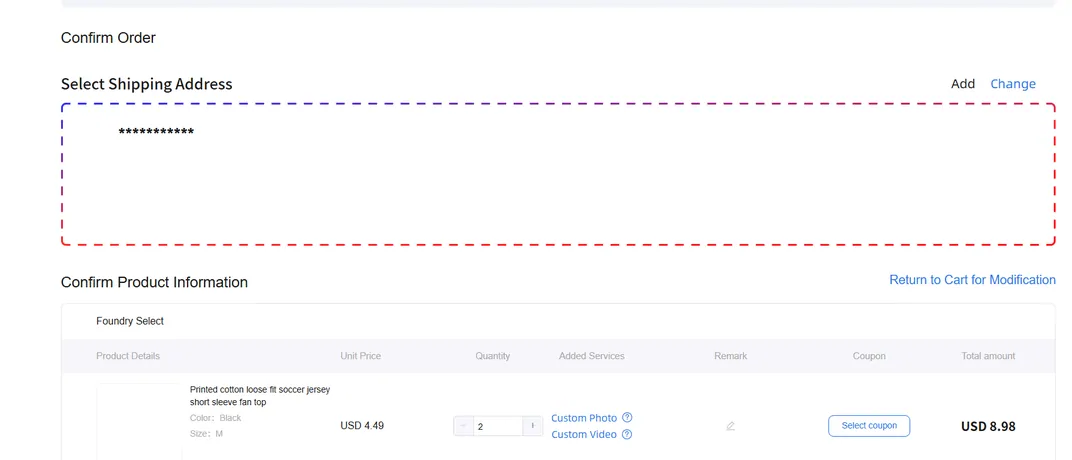
"Buy now" leads to a confirmation page. Check the shipping address (it is your overseas address, kept for later), then the product line: unit price, quantity, any added services such as a custom photo or custom video, a remark, and a coupon field. The total on the next screen is labeled "international shipping fees are not included", and that is literal.
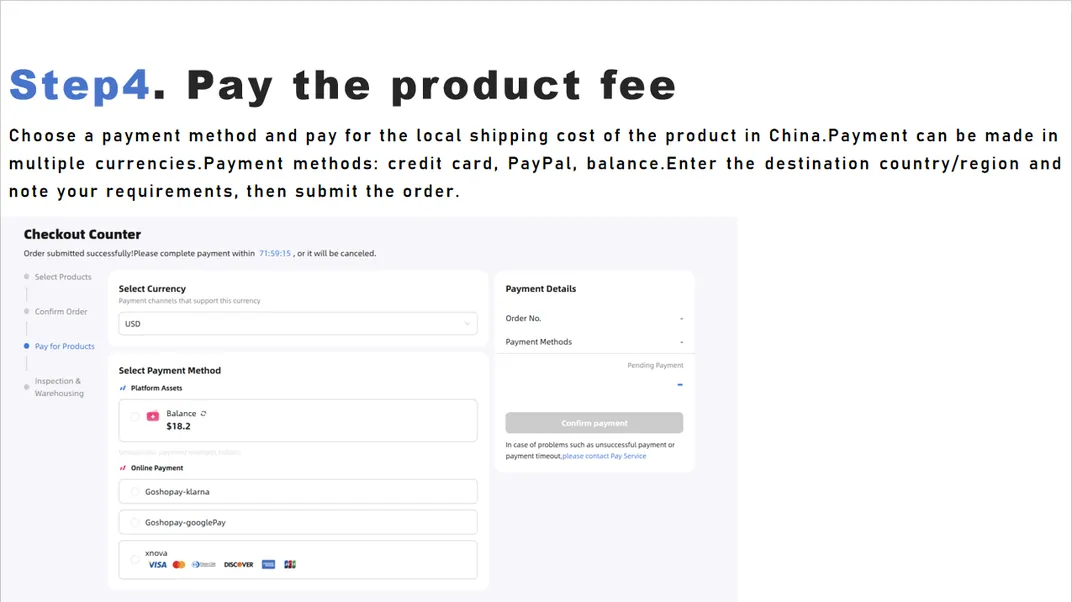
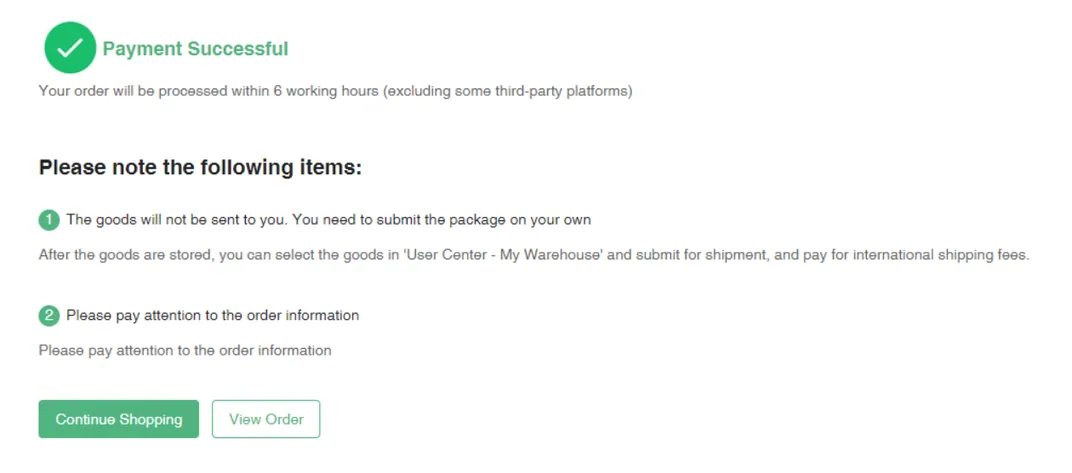
The checkout counter gives you 72 hours to pay, shown as a countdown, before the order is cancelled. You choose a currency and a method: account balance, card, and other channels that appear by currency. Once paid, the confirmation says the order will be processed within 6 working hours, excluding some third-party platforms, and reminds you that the goods will not be sent to you until you submit a parcel.
6Warehouse check and storage
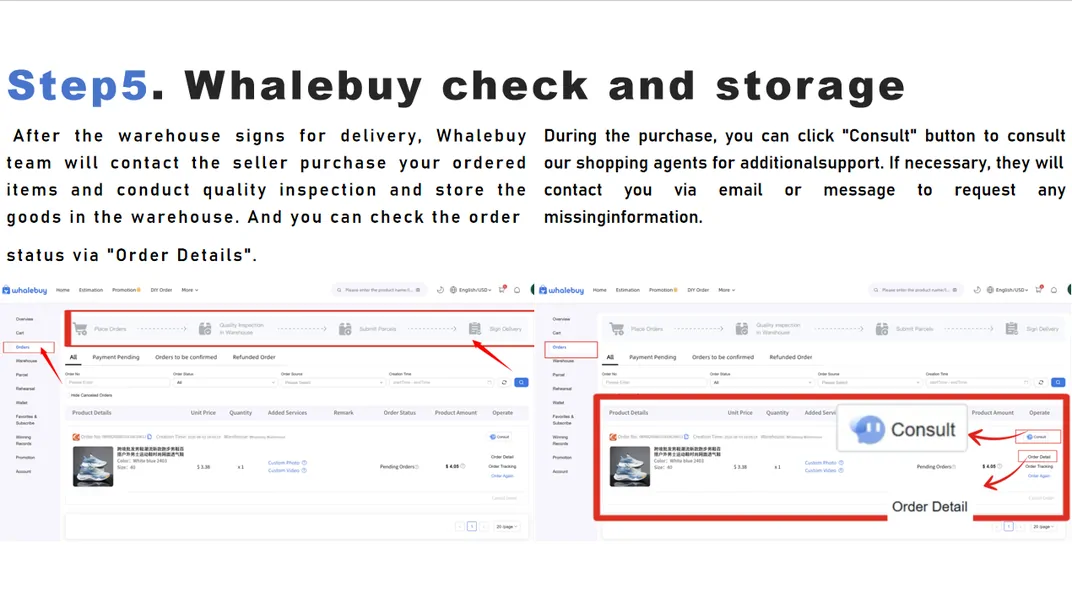
Now the order moves through statuses you can watch: under review, processing, on order, shipped by the seller, signed for at the warehouse, then received and stored. The order list shows a progress bar (Place Orders, Quality Inspection in Warehouse, Submit Parcels, Sign Delivery), a "Consult" button for messaging the buying team, and "Order Detail" for the photos.
Timing, from Whalebuy's own pages: orders paid during the Beijing working day are handled within about six hours, overnight ones by 2 PM the next day. Taobao-type sellers usually dispatch in 3 to 7 days. Domestic delivery to the warehouse takes one to two working days from nearby provinces and up to about a week from remote ones, and inspection about one working day. When the item shows as stored, the 90-day free storage clock and the 120-hour return window have both started.
7Build the parcel
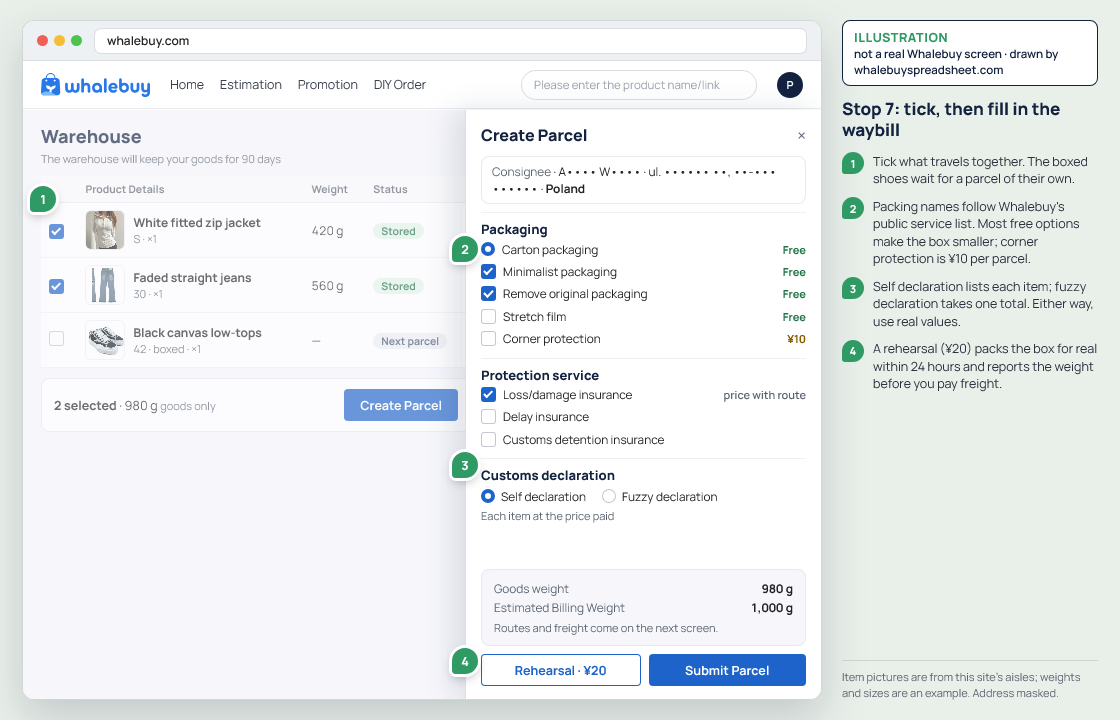
In the warehouse section of your account, tick the stored items you want to ship together. If more are on the way, wait: Whalebuy's tutorial says to let every item arrive, then select them all and create one waybill. On the waybill you confirm name, address and phone, choose a packing method and decide on insurance.
Two options here are worth knowing before you need them. A parcel rehearsal (¥20) has staff pack the parcel for real and report its weight, so you see the exact freight before paying it. And the declaration can be itemised by you or filled in from a single total; Whalebuy warns that implausible values, such as three pairs of shoes declared at $1, can hold a parcel at customs. Customs offices tend to class parcels over 10 kg as commercial imports.
8Pay the freight
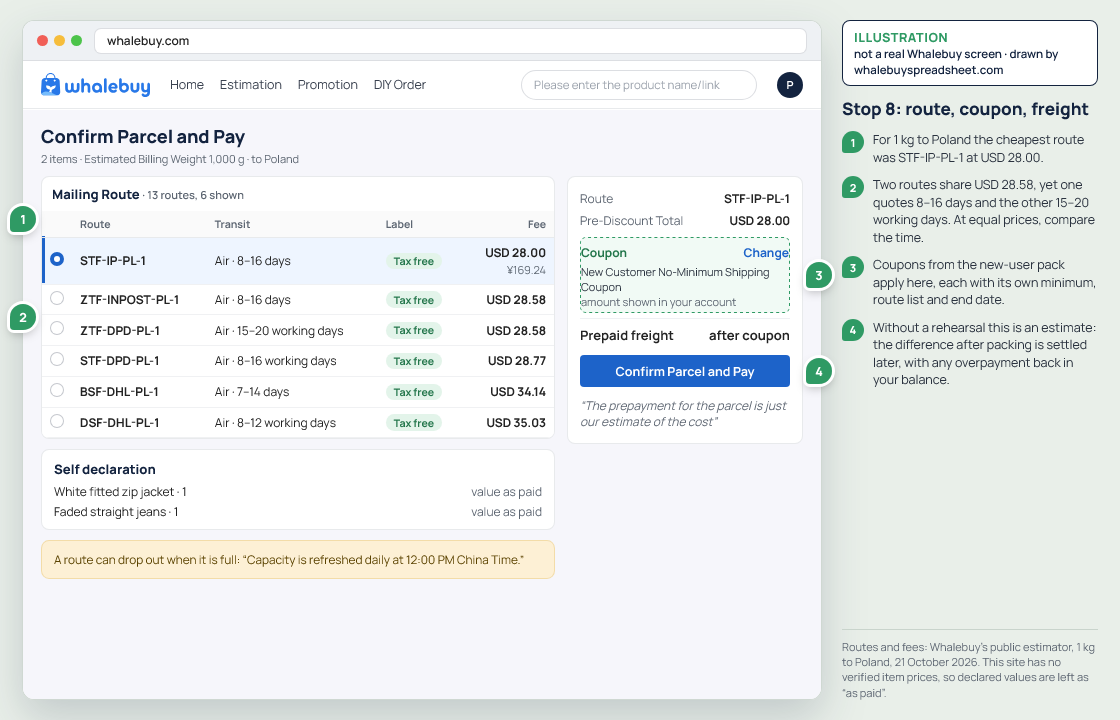
The line list depends on the destination and on what is in the box. Each line shows a code, a transit range in working days and a price; coupons from stop 2 apply here. Whalebuy's tutorial describes freight as a two-step payment when you skip the rehearsal: you pay the estimate when you submit, and after packing you settle the difference in "My Shipments", with any overpayment refunded to the balance.
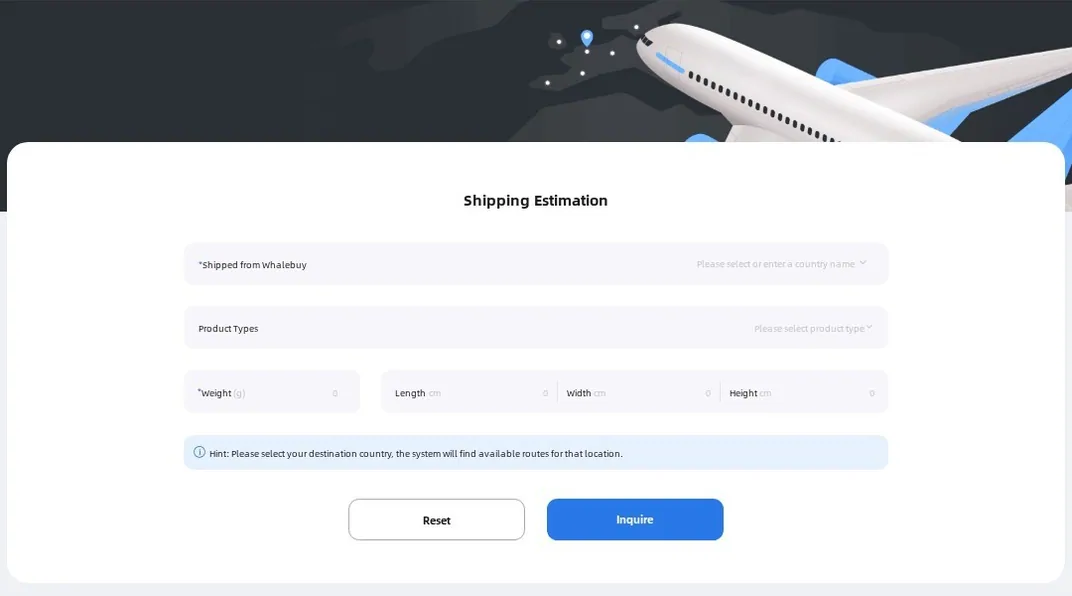
To plan before you order anything, use the public estimator at whalebuy.com/estimation. It asks for destination, product type, weight in grams and box size, and lists every line with its price. The estimate is a plan, not a bill; the warehouse's own weighing decides.
9Track it and receive it
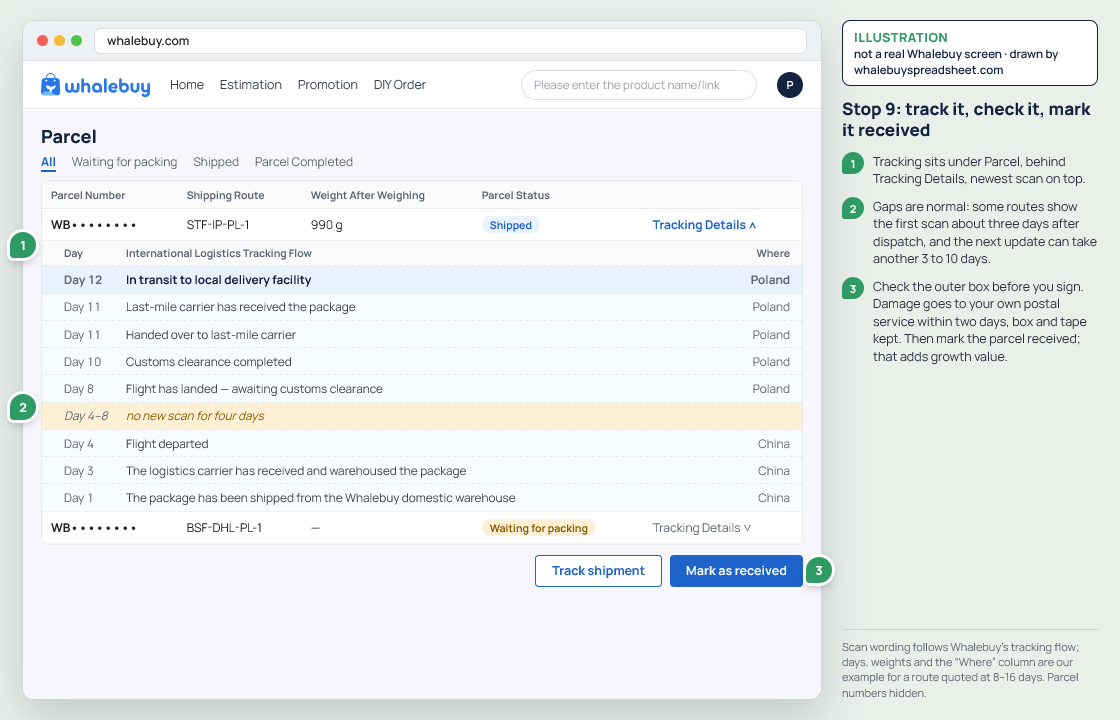
Tracking sits under the account's parcel section, behind "Tracking Details". Some lines show their first scan only about three days after dispatch, and the next update can take another 3 to 10 days, so silence in week one is normal. When the parcel arrives, check the outer box before you sign; if it is damaged, inspect it in front of the courier and note it on the delivery slip. Whalebuy wants damage reported to your own postal service inside two days, with the box and tape kept.
Mark the parcel as received in your account; that is what adds growth value. Claims for loss or damage have their own windows, and fragile items are covered for loss but not for breakage.